Have you ever been frustrated that some important websites don’t offer email alerts or RSS feeds? Manually keeping track of changes can be very time-consuming. Fortunately, website monitoring tools solve this problem by automatically watching pages and sending notifications when changes occur.
There are many website monitoring tools available, each with different features and capabilities. While there are multiple options available, I heard the most good things about Distill and Visualping so I gave them both a try. In my testing, Distill never sent me any alerts, so I’m recommending Visualping based on actual performance.
Visualping
Visualping is a user-friendly website monitoring tool. The free plan allows monitoring up to 5 pages with 150 checks per month (once per hour). Paid plans are available for those who need more extensive monitoring—personal plans start at $10/month, while business plans begin at $100/month for teams.
Selective Monitoring
One of Visualping’s best features is the ability to select specific parts of a page to monitor. Rather than tracking an entire webpage, you can focus on just the section you care about. This significantly reduces false alerts from unrelated changes elsewhere on the page. You can also block elements that generate alerts you don’t want.
Visual Change Detection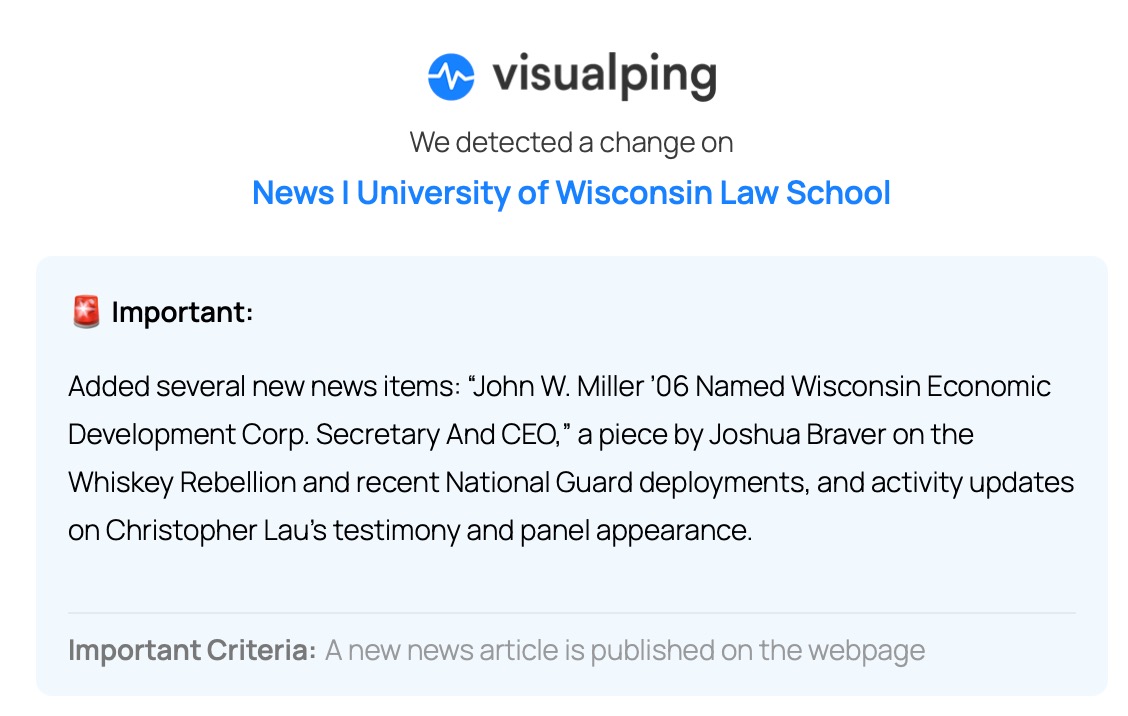
As the name suggests, Visualping is highly visual. Email notifications include:
- AI-powered summaries that describe the changes in plain language
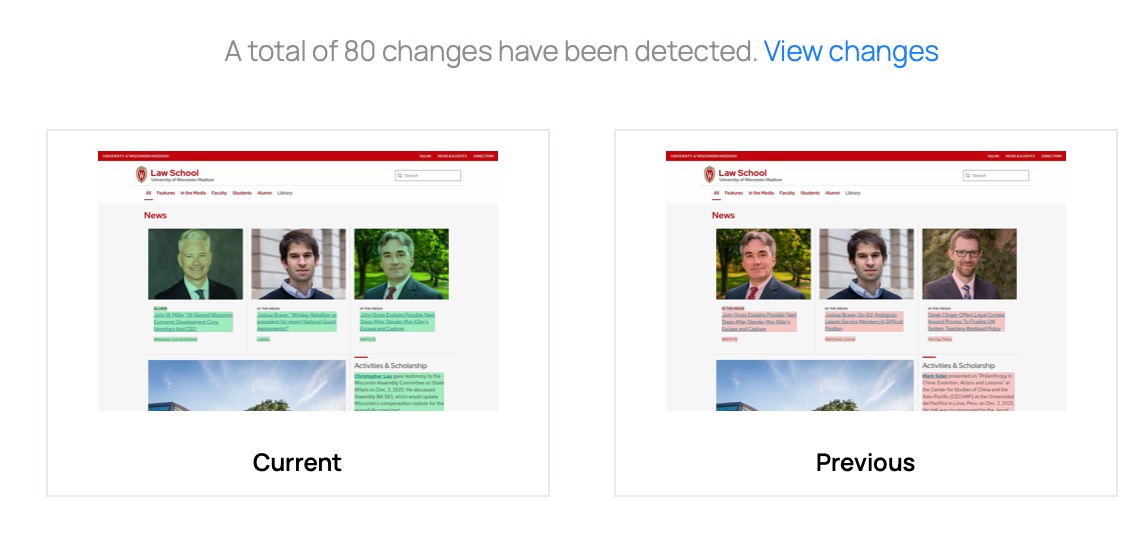
- Redlined comparisons showing exactly what changed on the page
- Thumbnail images of both the current and previous versions for quick visual comparison
I’ve been using Visualping to follow news stories on the UW Law School news page, and it’s worked reliably. The visual presentation makes it easy to quickly assess whether a change matters without having to visit the page yourself.
For legal professionals needing to track webpages without built-in notification systems, Visualping provides a reliable solution. The visual approach to showing changes, combined with AI summaries and selective monitoring, makes it practical for staying informed about government publications, court updates, and other resources without constant manual checking.
A law librarian colleague recently reached out, suggesting this post to update a 2008 WisBlawg post on the same topic. Thanks for the idea, Ellen!
Disclosure: I used Claude AI to help me develop this post, following the same critical curation and review process described in my earlier post on AI best practices.